


Chess Online
4.62.21K Reviews
App Specs
- Version
- 5.9.5
- Updated On
- License
- Free
- Downloads
- 5,000,000+
- Developer
- Chess Friends
- Categories
- Board
- Platform
- Android
Screenshots
 Analysis by AppCompare
I like chess most when I can fit a game into the gaps of an ordinary day, and the main appeal of Chess Online is the chance to play against people rather than always facing a computer. That changes the feel of a familiar board: an opponent’s unexpected move makes me pause, reconsider my plan, and adapt. It is a straightforward idea, but it gives a quick session more human variety than solo practice can provide.
Why playing people changes the experience
Chess is easy to start and difficult to master, so a live opponent can be useful at almost any level. A beginner gets to see how another person responds to familiar opening moves; a more experienced player has to deal with decisions that do not follow a predictable script. I find that uncertainty is the most interesting part of online play. It can be exciting, but it also means a match may feel uneven when the two players approach the board with different levels of experience.
The game is a board title from Chess Friends, and its central draw is online chess with players around the world. It is free to install, with optional in-app purchases ranging from about a dollar to around $130 per item. The Teen age rating is worth keeping in mind if you are choosing a game for a younger player. The game has been available since 2013, and its current version is 5.9.2; it has a 4.6 average from around 178,000 ratings and more than five million installs.
How a match fits into a real day
For me, the most natural use is a short break when I have enough time to focus but not enough to settle into a long gaming session. I might open a match while waiting for a meal or during a quiet stretch at home. The useful habit is to choose a pace that suits the time I actually have: a quick game makes sense when I can stay attentive for a brief spell, while a slower match is a poor choice if I know I will be interrupted.
That distinction matters because chess is not something I enjoy playing half-heartedly. Even a casual game asks me to watch the board, think through consequences, and respond in turn. If I am likely to put my phone away unexpectedly, I would rather wait than begin a match and leave the other player hanging. Treating online chess as a focused break, rather than background entertainment, makes the experience fairer and more satisfying.
Before starting, I also like to decide what I want from the session. If I am trying to improve, I focus on one simple goal, such as checking whether a move leaves a piece exposed. If I only want a bit of competition, I avoid turning every mistake into a reason to restart or get annoyed. That small change in expectations makes a human match feel less like a test and more like a useful way to enjoy the game.
Choosing between online play and familiar alternatives
Compared with a chess app built mainly around puzzles or lessons, live play is less controlled but more adaptable. A puzzle presents a position with a solution to find; an opponent creates a changing position and can take the game in an unexpected direction. That makes this a better fit when I want to practice decision-making under pressure. If I am trying to learn a specific tactic from scratch, a dedicated lesson or puzzle tool may explain it more clearly than a match can.
Worth Reading Before You Choose

EA SPORTS FC Mobile 26 Is a Bigger Football Game, but It Takes Time

Flipboard Shows What News Apps Must Do Beyond the Feed

Switching to Android Auto Means Rethinking Your Driving Routine

Google Calendar Makes a Crowded Week Easier to Manage

Ludo King Makes the Most of the Minutes Between Plans

Baby Panda World Brings Quick Play to Modern Phones, but Its Game Library Feels Busy
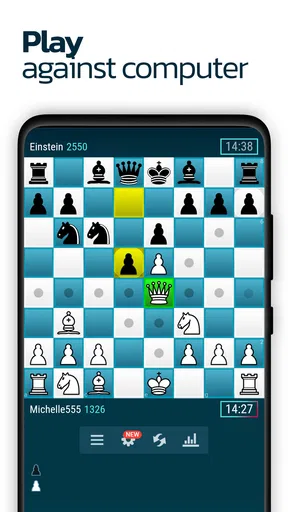
Playing a computer opponent is another common alternative. It can be handy when I want to practise without coordinating with another person, but a computer game does not offer the same sense of reading an individual rival. Here, the appeal is the human response: a player may choose a move I did not expect, and I have to work out what that choice means. On the other hand, anyone who wants a fully predictable practice routine may prefer a solo mode or a structured chess-learning app.
Against an in-person board game, online play is convenient because I do not need to find someone nearby at the same moment. The trade-off is that a screen cannot recreate the shared table, face-to-face conversation, or physical pieces. If the social ritual is the main reason I enjoy chess, playing with a friend in person remains a better choice. If getting an opponent without arranging a meeting is the priority, online matches have a clear advantage.
Getting Started with Ease
First things first, downloading and setting up Chess Online is a breeze. Available on both Android and iOS, the app doesn’t take up much space, so you won’t have to worry about clearing out your photo gallery just to make room for it. Once you’ve got it installed, you’re greeted with a clean and user-friendly interface that even a beginner can navigate without breaking a sweat.
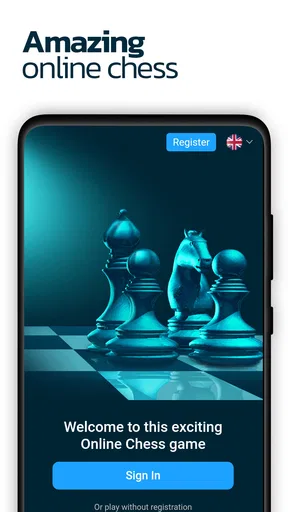
The app offers a simple registration process, allowing you to create an account or log in using your social media profiles. I found this to be a super convenient feature, especially when you’re eager to jump straight into the action. After all, who has the time to fill out lengthy forms these days?
Dive into the Game Modes
One of the standout features of Chess Online is the variety of game modes it offers. You can choose to play against the AI at different difficulty levels, which is great for practicing without any pressure. The AI is surprisingly smart, and it’s a fantastic way to hone your skills before taking on real opponents.
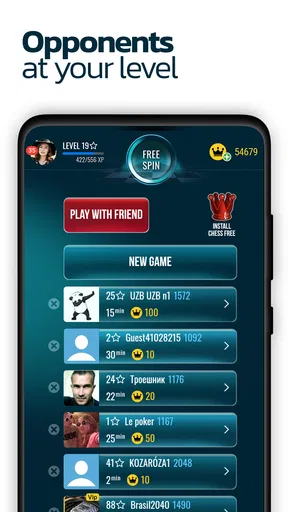
But the real fun begins with the online multiplayer mode. Here, you can challenge players from all over the world. Whether you want to engage in a quick blitz game or a slow-paced strategic battle, there’s something for everyone. I had a blast playing against strangers, and it’s always a thrill to match wits with someone who’s halfway across the globe.
Making practice more useful
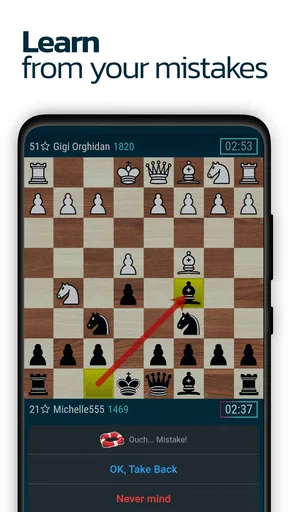
I would use the computer option with a specific purpose instead of treating it as a substitute for every kind of practice. For example, after losing a game online, I might try a solo match and pay attention to the kind of mistake I made: moving too quickly, overlooking a threat, or trading pieces without a clear reason. Repeating a position or idea in a less social setting can help me slow down. Then, returning to a human opponent tests whether that lesson sticks when the game becomes less predictable.
A practical tip is to keep one small focus per session. Trying to improve openings, tactics, endgames, and time management all at once makes it hard to tell what is changing. I get more value from asking myself one question before a match, such as whether I am checking my opponent’s threats before making my own plan. This does not require a formal study routine; it simply gives a casual game a little direction.
The built-in learning material may also suit someone who wants guidance without leaving the game. I would treat tutorials and guides as a starting point, not as proof that every lesson will fit every player. Chess has many positions where a general principle needs an exception, so it helps to test an idea in play and notice where it works. Players who want a carefully sequenced course with a defined curriculum may still be happier with a dedicated learning product.
Features That Stand Out
Another great aspect of Chess Online is the built-in chat feature, which allows you to communicate with your opponents. It’s a neat way to share strategies or just engage in some friendly banter. Just remember to keep it respectful, folks!
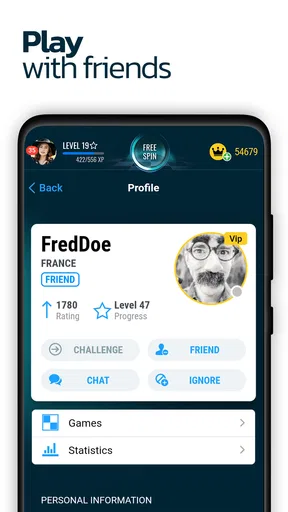
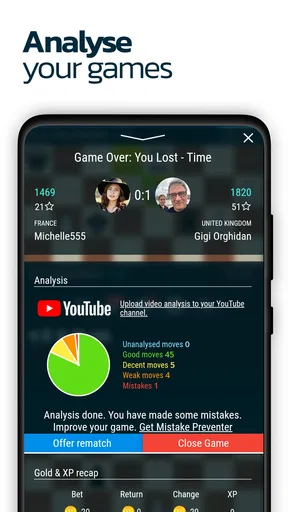
The app also includes detailed statistics and leaderboards. Tracking your progress and comparing it against other players adds a competitive edge that keeps you coming back for more. There’s nothing quite like seeing your name climb up those ranks!
These social and competitive elements work best when I use them as context rather than as the whole point of playing. A leaderboard can make progress visible, but a position on a ranking page does not explain why I won or lost. I find it more useful to pair that broader sense of progress with a specific reflection after a match: what move changed the position, and what did I miss? That keeps competition motivating without letting a number define whether a session was worthwhile.
Chat can make a match feel friendlier, but I would not rely on it for coaching or assume every opponent wants a conversation. A brief, courteous message is enough; the board remains the main event. Anyone who prefers quiet play can simply focus on the moves, while players who enjoy a little interaction have a way to make an encounter feel less anonymous.
For a parent or guardian considering it for a teen, the age rating and the presence of player communication deserve attention. I would talk through expectations for respectful chat and make sure the player knows they can ignore unwanted conversation. That does not take away from the game’s appeal, but it is a sensible part of choosing an online multiplayer title rather than a purely offline board game.
Design and Usability
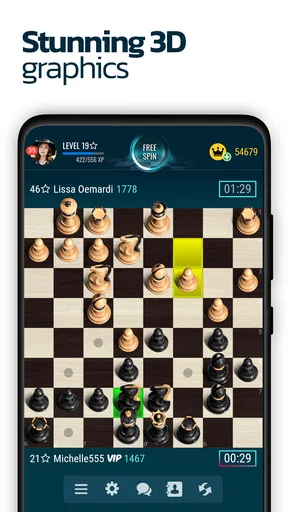
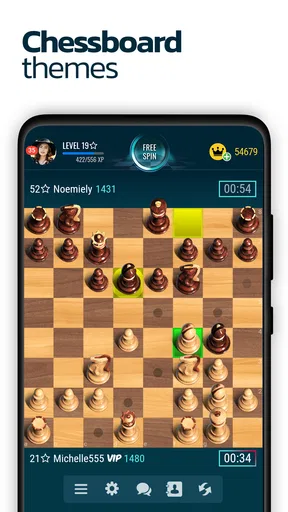
Visually, Chess Online is a treat. The board graphics are crisp and clear, and the pieces are beautifully designed. You can even customize the board and pieces, adding a personal touch to your gaming experience. The app’s aesthetics are modern and pleasing, making it easy on the eyes during those long gaming sessions.
Performance-wise, the app runs smoothly with no noticeable lag, even during intense online matches. It’s optimized well for both mobile and tablet, ensuring a seamless experience regardless of your device.
For a game that depends on reading a board at a glance, visual comfort is more than decoration. I would choose a board and piece combination that makes each piece easy to distinguish, especially if I tend to play on a smaller phone screen. Customization is most valuable here as a practical adjustment: a familiar, clear layout helps me spend attention on the position instead of squinting at the pieces. On a tablet, the larger display can make longer sessions easier to follow, while a phone is more convenient for a quick match.
There is still a real limitation to playing chess on a mobile device: notifications, calls, and interruptions compete with concentration. I try to begin a match only when I can give it proper attention and to silence distractions if I know I am likely to lose focus. That is not a flaw unique to this game, but it matters more in chess than in a title where a brief pause has no effect on another player.
Who will get the most from it
I would recommend this game to someone who already knows the basic rules and wants the convenience of finding human opponents without arranging a game in person. It can also suit a curious beginner who is willing to learn through a mix of computer practice, guides, and real matches. The free entry point makes it easy to try, though the presence of optional purchases means I would check the purchase screen carefully if I want to keep spending controlled.
It is less suitable for someone who wants a quiet, entirely offline chess set, dislikes playing strangers, or expects every match to double as a structured lesson. In those cases, a local board with a friend, a solo-focused chess program, or a dedicated course may be a better fit. Likewise, if I only have a minute to spare, I would avoid starting a game just because the app is within reach; a chess match deserves enough uninterrupted time to be enjoyable for both players.
Final Thoughts
In conclusion, if you’re a chess enthusiast or someone looking to get into the game, Chess Online is an excellent choice. Its variety of game modes, user-friendly interface, and engaging community make it an app that’s hard to put down. Whether you’re playing solo or facing off against a global opponent, it offers an enriching experience that’s both fun and educational.
So, go ahead and give it a try. Trust me, you won’t be disappointed. Happy checkmating!
Pros
- Engaging multiplayer mode enhances experience.
- Intuitive UI makes navigation simple.
- Daily challenges boost skill development.
- Wide range of difficulty levels available.
- Cross-platform support for playing with friends.
Cons
- Occasional server lag during peak times.
- Ads can disrupt gameplay flow.
- Limited offline features for solo play.
- In-app purchases may feel necessary.
- Some tutorials lack depth for beginners.
FAQs for Chess Online
What are the main features of Chess Online?
Chess Online offers a variety of features to enhance your playing experience. You can play against AI with different difficulty levels or challenge players worldwide in real-time multiplayer mode. The app includes tutorials for beginners, daily puzzles, statistics tracking, and a chat feature to communicate with opponents.
Is Chess Online suitable for beginners?
Yes, Chess Online is perfect for beginners! The app provides detailed tutorials and a beginner-friendly interface. New players can learn the basics through guided lessons and practice against AI before taking on real opponents. The step-by-step guides help newcomers understand different strategies and improve their skills gradually.
Does Chess Online require an internet connection?
Chess Online requires an internet connection for multiplayer games and community features. However, you can play offline against the AI in single-player mode. This makes it convenient for users who want to practice without internet access, ensuring you can enjoy the game anytime, anywhere.
Are there in-app purchases within Chess Online?
Yes, Chess Online includes in-app purchases. These may include premium features like advanced tutorials, special board designs, or ad-free experiences. While the basic functionalities are free, purchasing these extras can enhance your overall experience and provide additional customization options.
How does the matchmaking system work in Chess Online?
The matchmaking system in Chess Online pairs you with opponents of similar skill levels based on your ranking and past performance. This ensures balanced and competitive matches. Players can also choose to challenge friends directly or participate in ranked tournaments to test their skills further.


